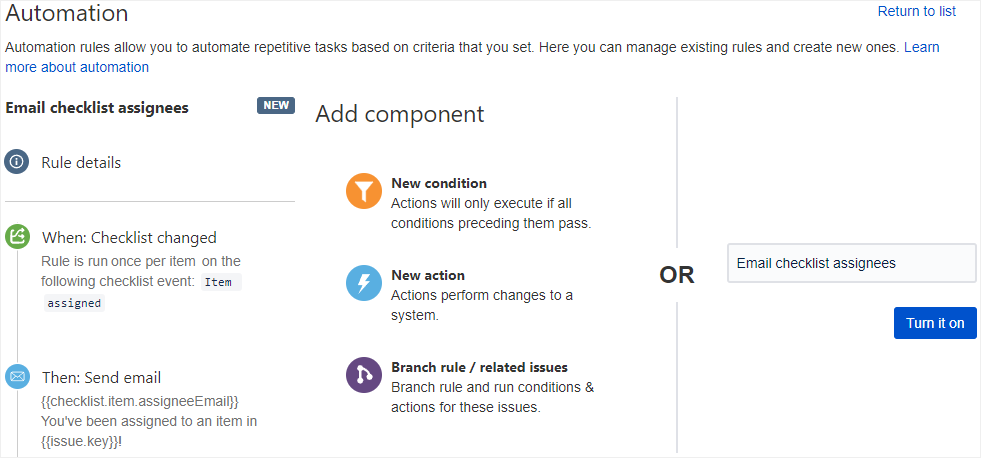
Using a Checklist changed trigger, you can capture the moment that a user is assigned to an item and use Smart Values to notify the user of their new assignment. You can set up an automation rule to email a user whenever they are assigned an item.
To set up the automation rule:
-
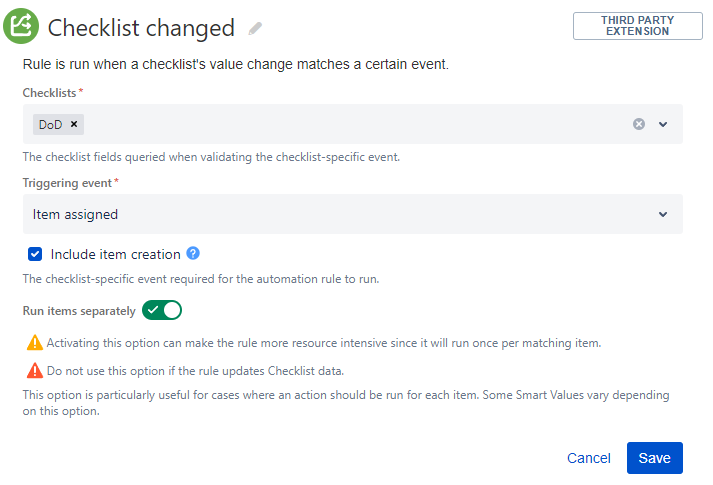
Select the Checklist changed trigger. Complete the fields as follows:
-
Checklists: Select the checklist that you want the trigger to watch.
-
Triggering event: Select Item assigned.
-
Include item creation: Enable this option.
-
Run items separately: Enable this option.
-
-
Add a Send email action. In the To field, insert the
{{checklist.item.assigneeEmail}}Smart Value. You can use the other values to tailor the email to your preferences.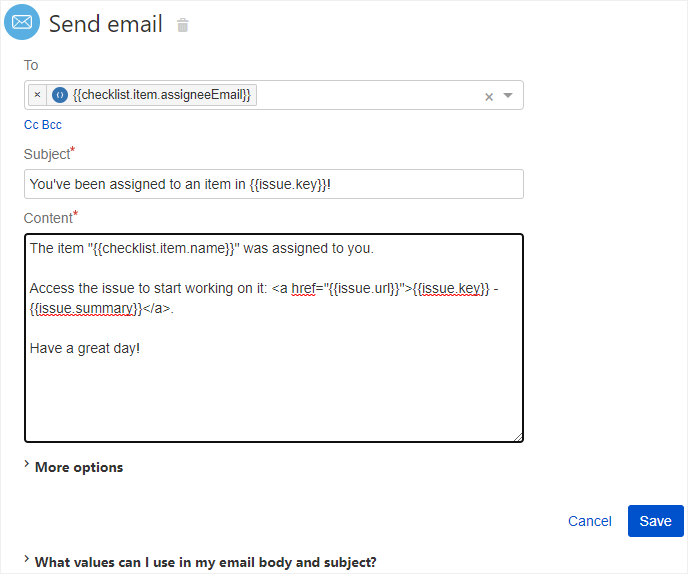
-
Name and publish your automation rule.