
To use the Microsoft integrations, each user must connect their Microsoft account.
For more details about security and privacy, see our data security policy.
The first time a user tries to access a Microsoft integration, they will be prompted with a message letting them know they must connect their Microsoft account.
The below procedure shows how to connect to SharePoint / OneDrive. When you connect to Outlook Calendar, the application name and the list of permissions will be different.
To connect your Microsoft account to Jira:
-
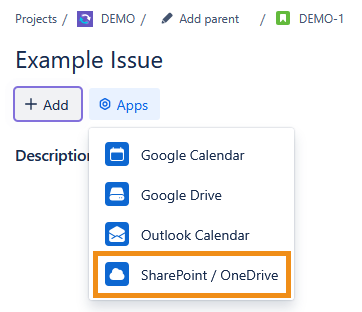
In the work item you want to use Connectors for Jira in, open the Apps dropdown and select SharePoint / OneDrive.
-
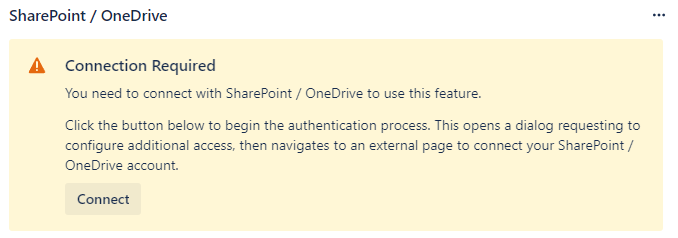
A SharePoint / OneDrive panel will appear under the work item’s Description field. Click Connect to begin the authentication process.
-
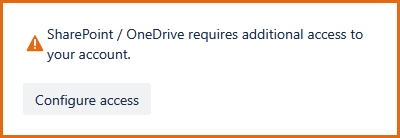
A dialog with a message from Atlassian Forge will appear. Select Configure access.
-
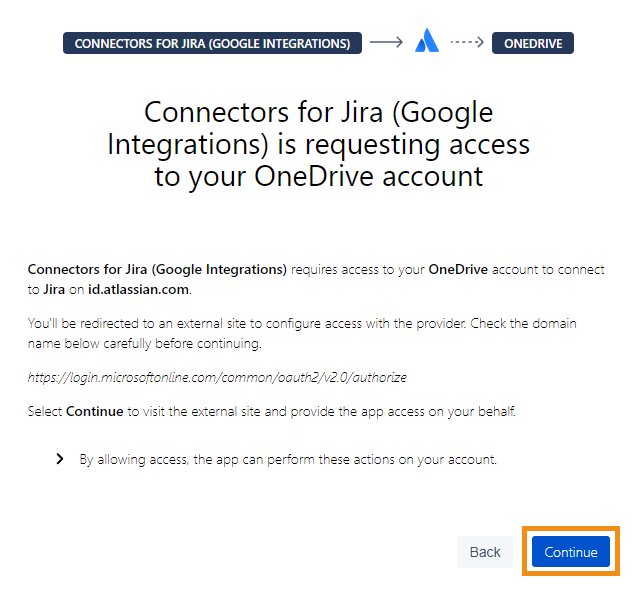
A page managed by Atlassian Forge will open in a new window. Verify the domain name and requested access before selecting Continue.
-
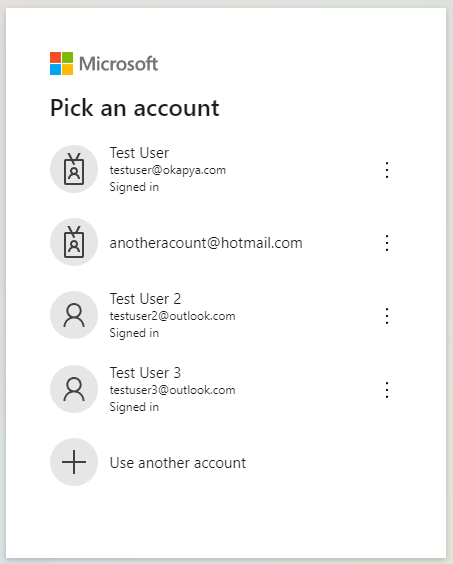
Next, choose your desired Microsoft account.
-
You'll then see the list of permissions required by Connectors for Jira. We recommend reviewing these details before you click Accept.
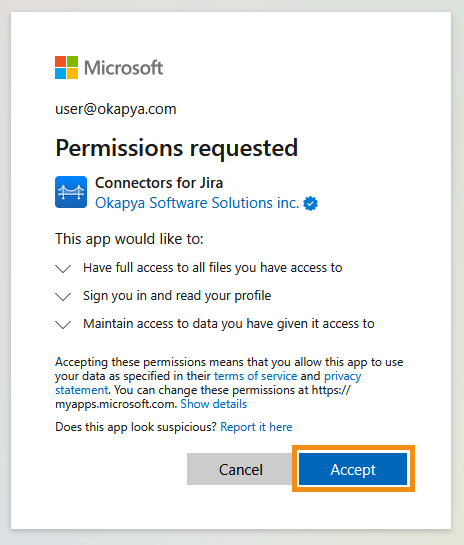
The sign-in process is now complete! You should be redirected to Jira, where you can use your integration.
If you want to connect both your SharePoint / OneDrive and Outlook Calendar to a Jira work item, you will have to complete the authentication process separately for each integration. You can connect a different account to each integration if you wish.