
Klaviyo is a B2C CRM platform. To integrate with it:
-
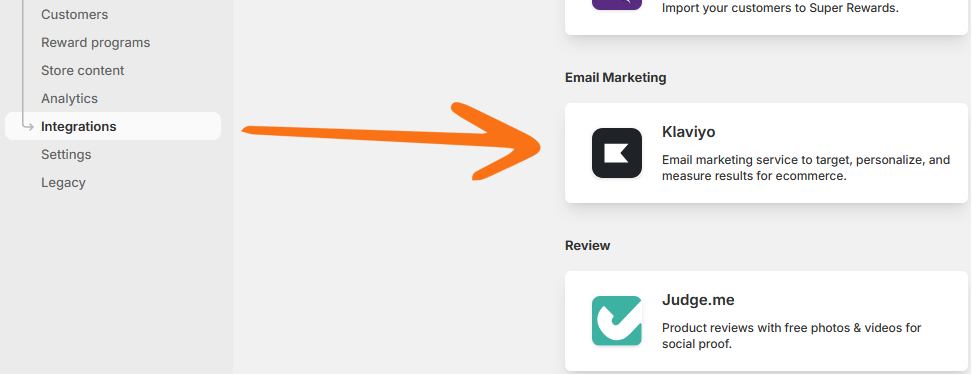
Open the Klaviyo integration page by opening the Integrations menu, then clicking the Klaviyo card.
-
In this page, you will need to enter your Klaviyo API key, then press Connect.
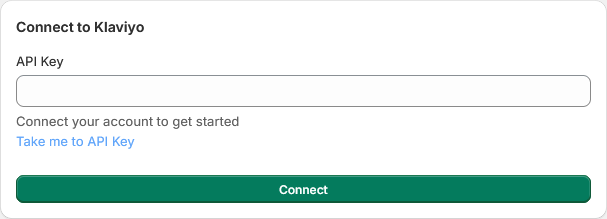
Unsure of what your API key is?
Press the Take me to API Key link to open your Klaviyo account. For more details, see Klaviyo’s documentation on creating a private API key.
-
Once connected, the page will update to show what properties will be synced with Klaviyo. Press Sync Customers to run an initial synchronization.
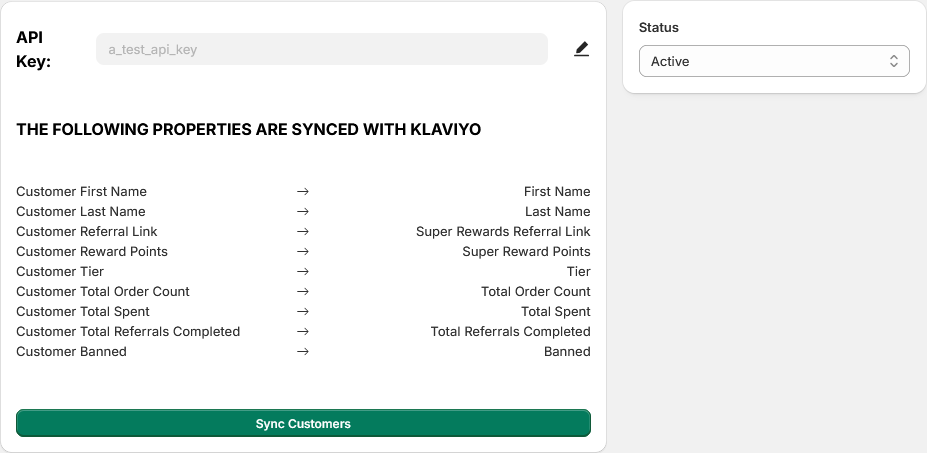
The initial synchronization is only required to make sure the data is up to date on both platforms. Further synchronization is done automatically.